Rhythm Play Panel
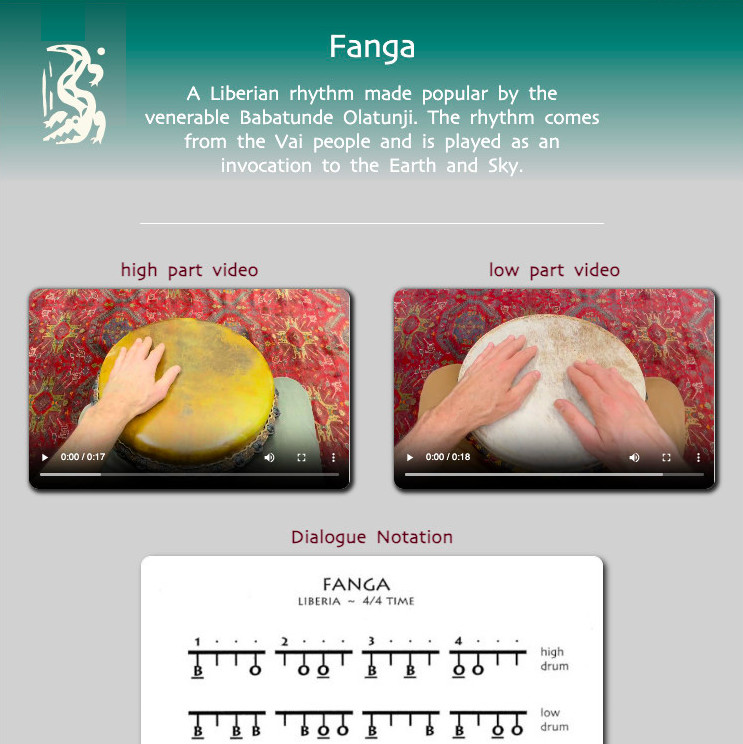
To help you learn the rhythms on our site, we’ve designed an interactive “dashboard” we call a “Rhythm Play Panel“.
On each Rhythm Play Panel you’ll find looping video demonstrations, easy-to-follow drum notation, and all the well-crafted audio files needed to learn and play each rhythm – all to ensure you have the richest experience learning and practicing these incredible rhythms.
Rhythm Description Section

The top of the Rhythm Play Panel displays the rhythm name and brief description of the rhythm.
Video Demonstration Section
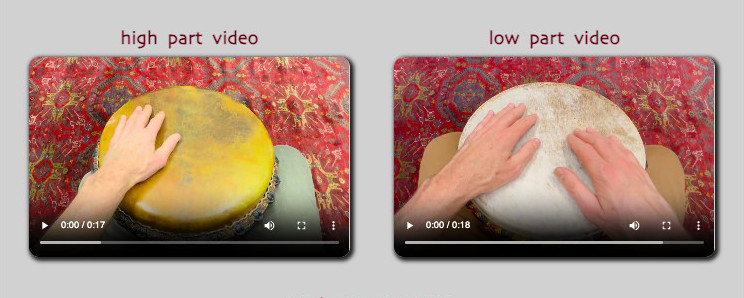
This section displays the video demonstrations for how to play each part.
Each video is set up to loop, and each can be slowed down or sped up to assist in the learning process.
Note: The Rhythm Play Panels displaying Dialogue Rhythms and Ensemble Rhythms have multiple video windows which demonstrate the various parts of the dialogue or ensemble.
Changing Video Speeds – Firefox
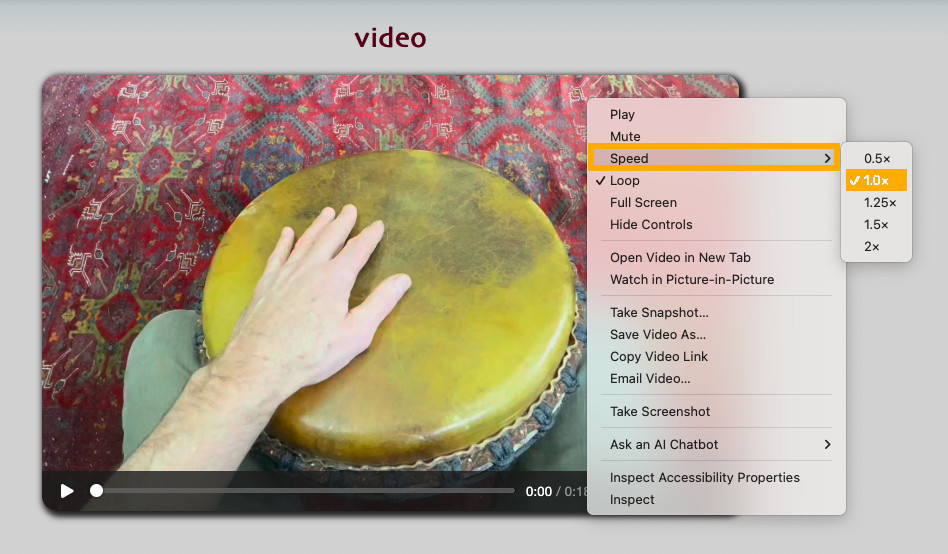
To access the video speed controls in Firefox:
1. RIGHT CLICK anywhere on the video itself.
2. Select the Speed menu choice from the pop-up menu.
3. Select the speed you want to play [.5 | 1.0 (Normal) | 1.25 | 1.5 | 2.0]
4. Click the PLAY arrow to start the video at your new speed.
Changing Video Speeds – Chrome & Edge
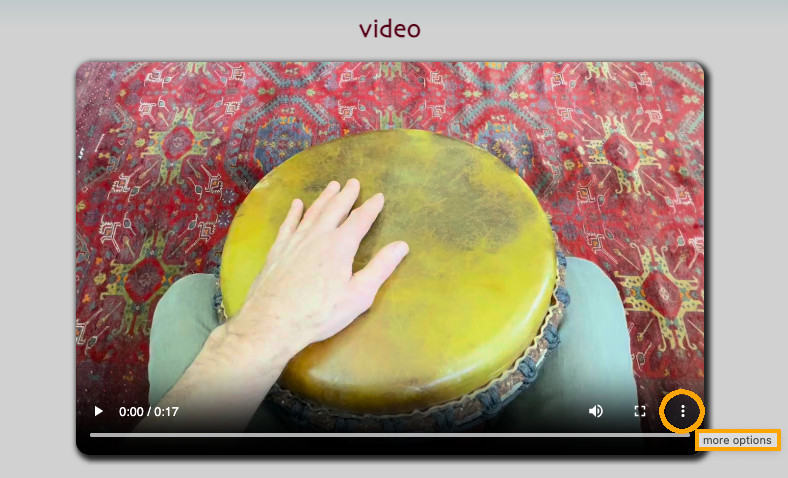
To access the video speed controls in Chrome and/or Edge:
1. Select (LEFT CLICK) the three stacked dots (more options menu) in the lower right corner of the video window.
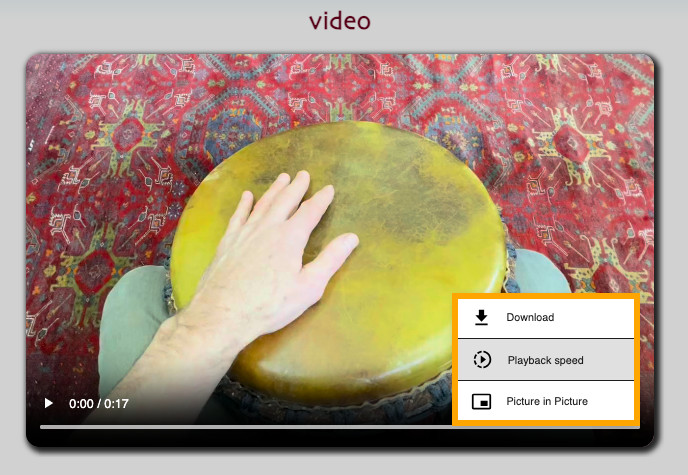
2. Select the Playback speed menu.
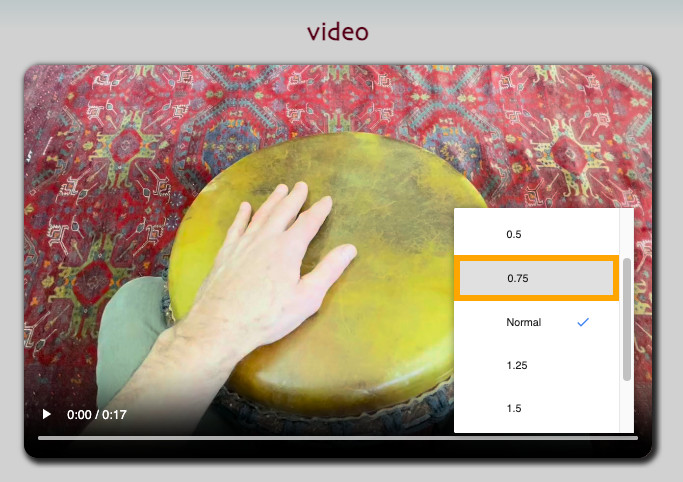
3. Select the speed you want to play.
- .5
- 75
- 1.0 (Normal)
- 1.25
- 1.5
- 1.75
- 2.0
4. Click the PLAY arrow to start the video at your new speed.
Rhythm Notation Chart Section
This section displays the notation chart for each part or parts. The notation chart displays the following:
- A brief desciption of the rhythm (character/country of origin).
- Which drum strokes you are to play and which hand to play them with (underlined strokes are played with the dominant hand).
- Whether the rhythm is in 4/4 or 12/8 time.
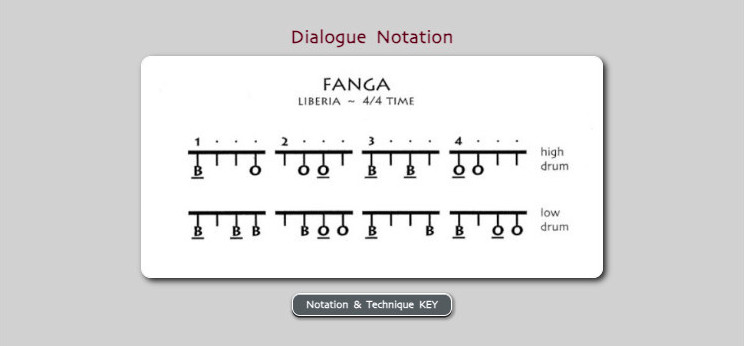
Below the notation chart is a Notation & Technique KEY button.
Clicking this button opens a popup window entitled “Hand Drum Notation & Technique Key” (picture below) that displays a list of 24 drum stroke symbols and video demonstration for how to play each of them.
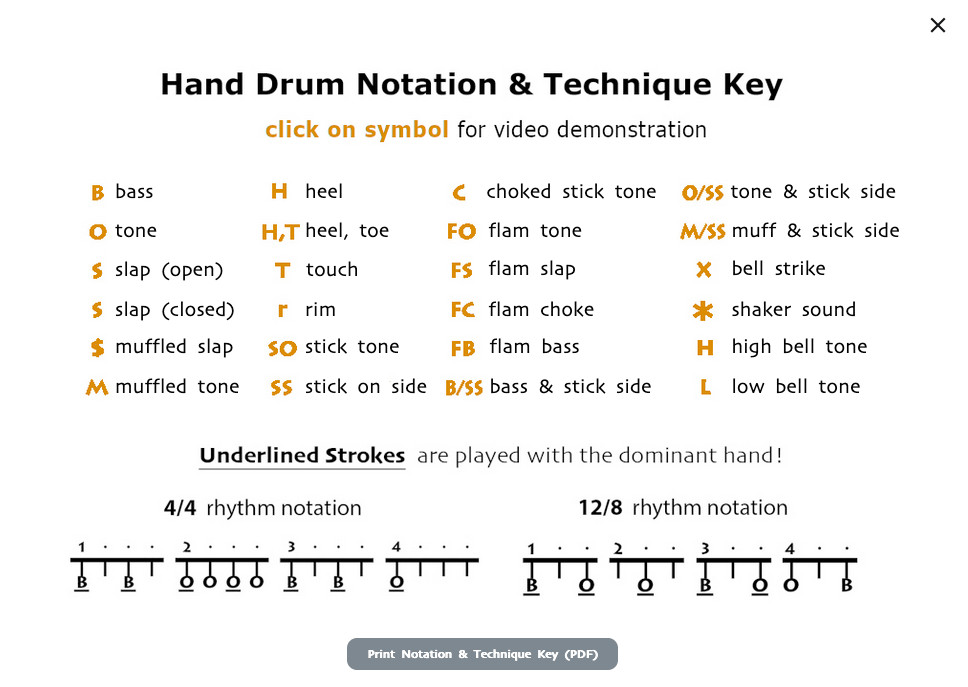
These videos illustrate how to play each of the different hand and stick strokes you’ll need and want to know. These strokes include: hand strokes (bass, tone, slap and many others), along with bell, clavé, stick, shekeré and/or dun dun (bass) strokes.
The key includes all the notation symbols for each of the hand and stick strokes. It also illustrates the difference between 4/4 and 12/8 rhythms.
Visit the Introducing: Notation & Technique Key article, for a complete exploration of the subject and instant access to the demonstration videos.
Audio Practice Tracks Section
This section displays the audio practice tracks you’ll use to practice each rhythm. NOTE: We highly recommend using headphones!
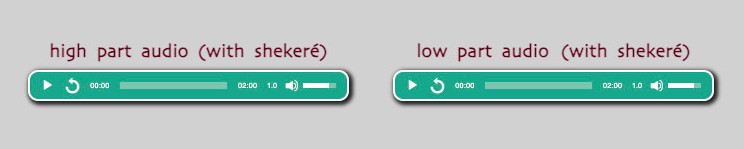
Each audio element includes the following controls:
Play | Replay | Seek Bar | Time Remaining | Play Speed | Volume
Perhaps the most exciting feature is the Play Speed feature:
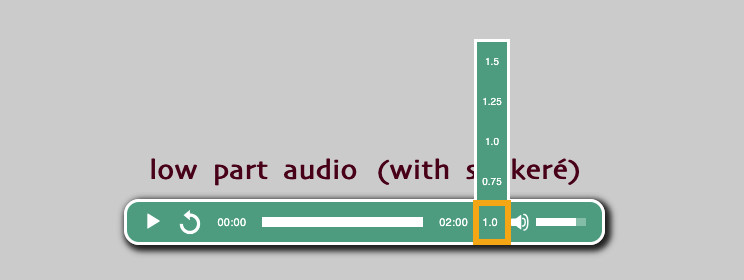
Each audio practice track can be played at various speeds to accommodate all learning and practice levels:
- 1.0 (default speed)
- .75 (slowest speed)
- .25 (faster than default speed)
- 1.5 (fastest speed)
Rhythm Reverie Section
Let’s start with a definition of the word ‘reverie’:
“A state of having pleasant dream-like thoughts.”
With this in mind, Will has created original play-along compositions using traditional rhythms as building blocks, surrounded by dreamy piano, bass and marimba layers, inspired by Afro-House compositions.

The Rhythm Reveries are designed for, and included with all Primary, 2-Drum and Dialoque rhythms.
There are 28 Rhythm Reveries included in the Essential membership and over 100 more included in the Unlimited membership. Enjoy them as companion mix tracks to inspire you to hone your drumming skills. We encourage you to experiment and consider entering your compositions in the Member Showcase or Drum Group/Band Showcase!
Check out the Rhythm Reverie for Fanga below:
Fanga Rhythm Reverie
Afro-House inspired mix track
Explore More!

1. The More 2-Drum Rhythms button brings you to more rhythms on the site in the same category as the rhythm you’re learning
2. The Top 5 EssentialRhythms button brings you to list of the 5 most popular rhythms from the same category
3. The Member Rhythm Notes button opens a popup sidebar that display in-depth descriptions/historys of ALL the rhythms on the site!
Final Words
Now that you are familiar with the Rhythm Play Panel structure, we hope you find them easy to use as you explore and learn all these amazing rhythms on the site.
And when a rhythm includes a new “stroke” you haven’t played before (or need to review) just check out the Introducing: Notation & Technique Key article.
Finally, please let us know if you have any suggestions for how we can make the site easier to use.
~ Roderick
Leave A Comment